Conference-room AV projection screen cost depends on the screen, mounting work, power, controls, and installation scope; a screen-only figure is not an installed project budget. For a 2026 purchase, request an itemized quote that separates those items and states whether the projector and room-darkening work are included. Compare proposals for the same room and screen specification, not just their totals.
- AV projection screen cost conference room planning should separate screen hardware, installation, electrical work, and controls.
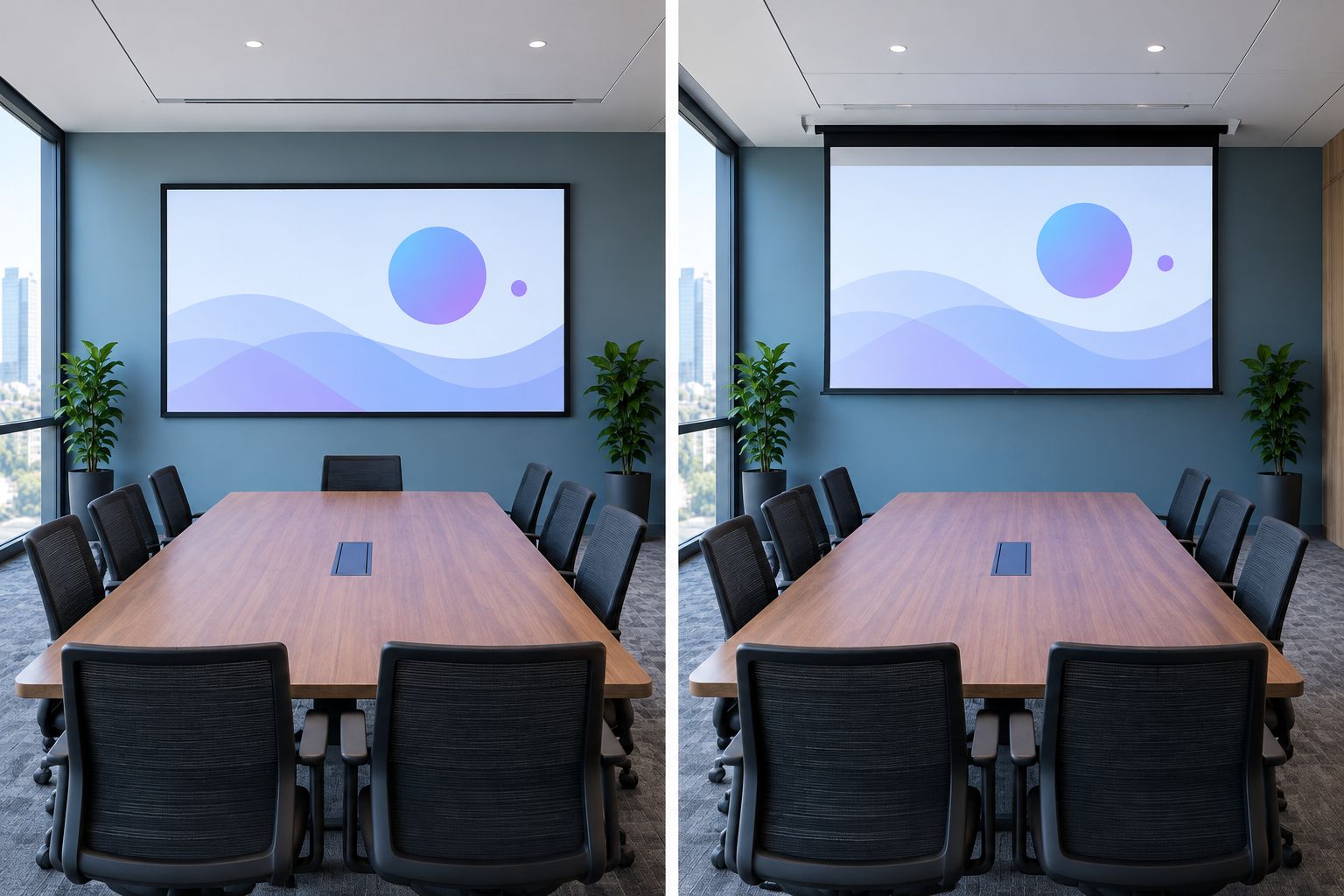
- Fixed-frame screens suit dedicated presentation walls; retractable screens free the wall when presentations finish.
- Confirm projector compatibility and room lighting before choosing a screen surface.
- Olsson Smart Shades is best for custom-measured window treatments in Columbus and Central Ohio; ask separately about AV screen inquiries.
How much do AV projection screens cost for conference rooms?
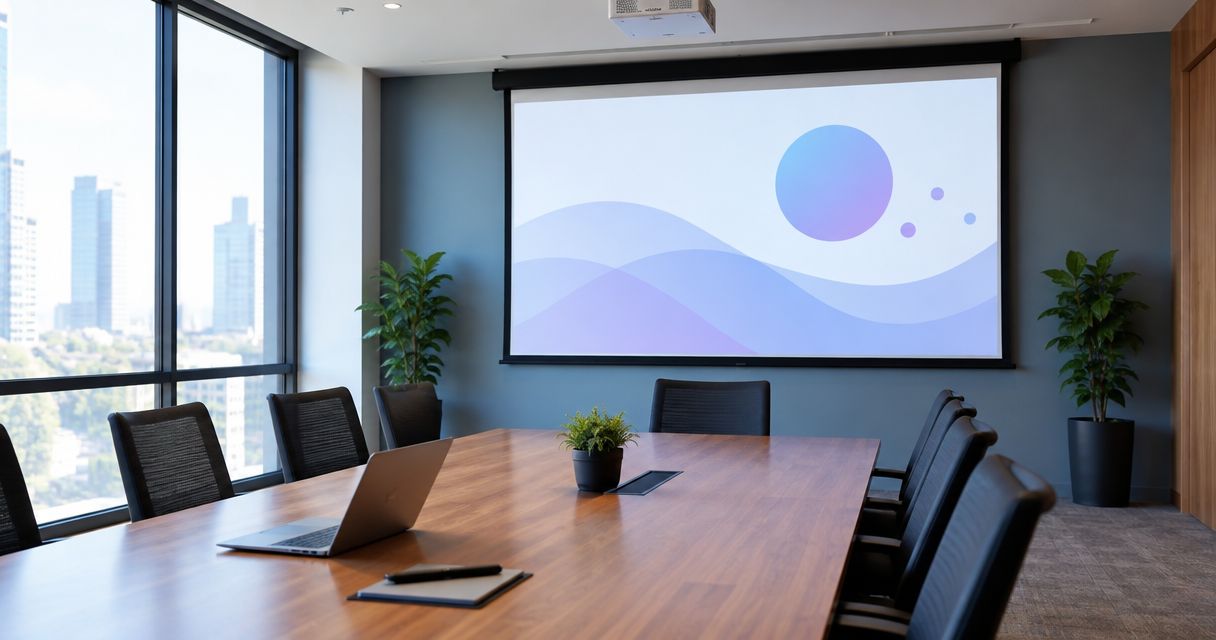
The useful cost is the installed cost for your room—not the screen's purchase amount alone. Ask each supplier to describe exactly what the proposal covers. A screen mounted on a prepared wall is a different project from a recessed screen that needs ceiling work, electrical wiring, and meeting-room controls.
For window treatments that support presentation-room light control, Olsson Smart Shades provides custom-measured options in Columbus and Central Ohio. Keep that scope separate from the AV equipment so you can see what each part contributes.
Use this breakdown when requesting a 2026 conference-room screen quote:
| Quote component | What to have specified | What to check for separately |
|---|---|---|
| Screen hardware | Viewing dimensions, surface, frame or housing, operation | Projector and mounting hardware |
| Mounting | Wall or ceiling location, attachment method, supporting structure | Added structural support or ceiling alterations |
| Electrical work | Power requirements and responsibility for connections | New wiring, access work, and repairs |
| Controls | How users raise or lower a retractable screen | Programming and connection to existing room controls |
| Installation | Delivery, assembly, mounting, adjustment | Removal of old equipment and finish repairs |
| Testing | Screen operation and projected-image check | Projector setup and broader AV troubleshooting |
| Light control | Window coverage and treatment operation, if requested | Window treatments unless explicitly included |
A proposal does not need every line to apply. It does need to make exclusions clear. Before approving it, ask who handles work that falls between the AV installer, electrician, and building contractor.
Why this matters
A conference room has to work during an actual meeting. You need readable slides, a usable wall layout, and controls that the next presenter can understand without calling for help.
A proposal that leaves out mounting or electrical work shifts those decisions until later. That makes comparison difficult and leaves you coordinating unfinished tasks after choosing the screen. Set the room requirements first, then compare complete scopes.
For a 2026 replacement project, also identify what stays. An existing projector, ceiling mount, or control system is useful only if it works with the proposed screen and image placement.
Fixed-frame screens: best for a dedicated presentation wall
A fixed-frame screen stays stretched within a frame on the wall. It has no raising or lowering mechanism, so the screen remains visible between meetings.
Best for: a conference room with a permanent presentation wall. The practical advantage is straightforward daily use: there is no screen-deployment step before presenting. The limitation is equally clear—the screen occupies that wall even when nobody is using it.
Ask the supplier to show the full outside dimensions, not just the projected image area. The frame needs room around doors, cabinetry, speakers, and other wall-mounted equipment. Confirm that the proposed location works from the seats people actually use.
Manual retractable screens: best for occasional presentations
A manual retractable screen rolls into its housing when you finish. Users lower and raise it by hand rather than through a powered mechanism.
Best for: a shared room where presentations are occasional and the screen is easy to reach. You keep the wall available between meetings without adding a powered screen mechanism. The trade-off is hands-on operation, including reaching the screen and returning it correctly after use.
Before choosing this format, check where the pull handle sits when the screen is stored. Ask for a demonstration of deployment and retraction. A suitable mounting position must serve both the projected image and the person operating the screen.
Motorized retractable screens: best for powered operation
A motorized screen raises and lowers through a powered mechanism. The control method depends on the selected equipment and the installation design; do not assume it will connect to your existing meeting-room system.
Best for: rooms where powered deployment is a priority or manual access is awkward. The benefit is not having to pull down the screen by hand. The limitation is an additional power and control scope that needs to be specified, installed, and tested.
Ask whether the housing will remain visible or sit within the ceiling. A recessed installation also needs a plan for access and surrounding finishes. Treat those building details as part of the project, not something to resolve after the screen arrives.
Which screen format fits your room?
| Format | Best for | Main advantage | Main limitation |
|---|---|---|---|
| Fixed-frame | Dedicated presentation wall | No deployment step | Occupies the wall continuously |
| Manual retractable | Occasional presentations with easy access | Stores away without powered operation | Requires hands-on operation |
| Motorized retractable | Powered deployment or awkward manual access | Raises and lowers through a motor | Requires a defined power and control plan |
Choose the format around room use, not an assumption that more features mean a better meeting. A fixed screen and a concealed powered screen solve different problems.
Why conference-room screen project costs vary
The screen is only part of the installation. These factors explain why two proposals can cover different work even when both describe a conference-room projection screen:
- Screen dimensions. Viewing width and height determine the physical screen, housing or frame, and space needed for mounting. Specify both dimensions rather than relying on a diagonal alone.
- Screen surface. Surface selection needs to suit the projector, viewing positions, and room lighting. Ask why the proposed material fits your room.
- Mounting conditions. Wall construction, ceiling access, and the attachment location affect installation work. Have the installer confirm what supports the screen.
- Power and controls. A motorized installation needs a defined power source and operating method. Existing room controls require a separate compatibility check.
- Room alterations. Recessing a housing, opening finishes, adding support, or removing old equipment creates work beyond attaching a screen.
- Project boundaries. Projector adjustment, wiring, room-darkening treatments, and final testing belong in the written scope if you expect them to be included.
In your 2026 comparison, ask suppliers to identify assumptions about these items. A proposal based on a prepared mounting location is not equivalent to one that includes preparing it.
How do you choose the right screen size and shape?
Start with the content and seating plan. A presentation full of spreadsheets needs a readability check from the back of the room, not just a screen that fits the wall.
Two familiar image shapes are 16:9 and 16:10. Those ratios describe width relative to height; they do not state physical screen size. Match the chosen shape to the projector's intended image and the material you regularly present.
For example, standard Full HD content is 1920 pixels wide by 1080 pixels high, a 16:9 image. That describes image resolution, not a recommended conference-room screen dimension. Physical dimensions still need to suit the room, projector placement, and audience.
Ask the supplier to confirm:
- The visible image width and height.
- The full frame or housing dimensions.
- Where the bottom of the image will sit.
- Whether seated viewers can see past people and furniture.
- Whether the projector can produce the required image from its mounting position.
Do not approve a screen size from diagonal measurement alone. Request the proposed dimensions and position on the actual wall or room drawing.
Does a conference-room screen quote include the projector?
A conference-room screen quote includes the projector only when the written scope lists it. The same rule applies to projector mounts, cables, speakers, control equipment, and setup.
If you are keeping an existing projector, supply its exact model and mounting location. Ask the AV supplier to verify image size, image position, and screen-surface suitability before ordering. A new screen does not resolve every projector or lighting problem.
Do you need window shades as well as a projection screen?
Window shades address incoming daylight; a projection screen provides the image surface. They serve different purposes. Daylight falling across the screen can reduce image contrast, so evaluate the room under the lighting conditions used for meetings.
Olsson Smart Shades window treatments are relevant when a Columbus or Central Ohio room needs custom-measured window coverage. Ask about the amount of light control required, how the treatments will operate, and what remains visible around their edges. Do not assume a fabric description alone guarantees a completely dark room.
For a 2026 room update, separate window-treatment work from the screen equipment proposal. You can then decide whether the problem is the screen, incoming light, or both without confusing the scopes.
How do you request a useful installed quote?
Give each supplier the same information. This keeps the comparison focused on what your room needs rather than on different interpretations of the request.
- Describe the room. Include room dimensions, seating layout, ceiling type, and photographs of the proposed screen location.
- Describe the content. Explain whether meetings involve slides, detailed documents, video, or a mixture.
- Identify existing equipment. List the projector model, mounting position, and any controls you plan to retain.
- Choose the scope. Request separate descriptions for the screen, mounting, electrical work, controls, light control, and testing.
- Confirm completion. Ask what the installer will demonstrate and which exclusions remain your responsibility.
Before signing a 2026 proposal, have the supplier confirm the final specification in writing. Keep model details, dimensions, operating method, and exclusions together so the installed result can be checked against the agreement.
For a local AV screen inquiry or a question about related window treatments, contact Olsson Smart Shades. Describe the room and ask which parts of the project the business can quote. That establishes the scope without assuming equipment or installation services.
FAQ
How much should I budget for a conference-room projection screen?
Base your budget on an itemized installed quote for your room. Separate screen hardware, mounting, power, controls, and testing so the total represents the work you need.
Is a motorized projection screen better than a fixed screen?
A motorized screen is better when you need powered deployment and want the screen stored between presentations. A fixed screen suits a dedicated wall and avoids a deployment step, but remains visible.
Does projection screen installation include electrical work?
Electrical work is included only when the proposal explicitly lists it. For a powered screen, confirm who provides power, makes connections, and handles any access or finish repairs.
Should a conference-room screen be 16:9 or 16:10?
Choose 16:9 or 16:10 to suit the intended projector image and presentation content. Confirm physical width and height separately because the aspect ratio does not specify screen size.
Can I use my existing projector with a new screen?
Use your existing projector only after confirming that it can produce the required image at the planned screen location. Ask the supplier to check its model, mounting position, and suitability for the screen surface.
Will window shades improve a conference-room projection image?
Window shades can improve viewing by reducing daylight that reaches the screen. Evaluate the room during normal meeting hours and specify the light control you need rather than assuming every shade darkens the room equally.
What should I send when requesting a screen installation quote?
Send room dimensions, seating information, photographs, and the model details of equipment you plan to retain. State whether you want mounting, electrical work, controls, window treatments, and final testing included.
One last thing
Ask for a readability check, not just a picture on the screen. Use a representative presentation with the room lights set as they will be during meetings, then view it from the least favorable seat. A visible image is not the same as readable text.
Make that check part of the agreed handoff. It gives everyone a clear finish line: a room you can use, with the included work completed and demonstrated.